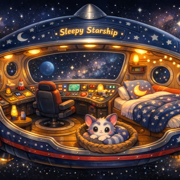
 Sleepy Starship
For parents
Sleepy Starship is made to be the last thing your child hears at night. Here is exactly what is in it.
What is in every episode
- The same short opening every night, so kids know the routine.
- One new world, one friendly creature, one small thing to do together, and one treasure to bring home.
- A slow trip home. The sentences get shorter and the pace gets slower near the end.
- One short breathing moment near the end: two slow breaths in and out. It is a calm way to slow down, not a medical or therapy exercise.
- Soft piano music, a few quiet sounds, and Choo-Choo's little trill.
What is never in it
- Villains, danger, getting lost or "oh no" moments.
- Sudden loud sounds or big excitement.
- Lessons, quizzes or anything a child has to answer.
How it is made
Each story is written for the show. The narration is made with an AI voice, and the music is original. We say this plainly so you know what your child is hearing.
Tips for bedtime
- Start the episode after teeth, pajamas and lights down, as the last step.
- Turn the screen away or face down, or use a speaker.
- Keep the volume low. The story is meant to sit in the background of a quiet room.
Make it stop when the story ends
Podcast apps like to play the next episode on their own. A sleep timer set to the end of the episode keeps the room quiet once the story is over:
- Spotify: while the episode plays, tap the three dots (or the moon icon), choose Sleep timer, then End of episode.
- Apple Podcasts: open the playing episode, tap the moon icon (or the three dots, then Sleep Timer), then When Current Episode Ends.
- YouTube: turn off the Autoplay switch on the video, so nothing starts after the story.
More ideas: a calm bedtime routine, step by step.
Listen on SpotifyWatch the episodesPlay the trailer
Questions parents ask
Are there ads in the episodes?
We do not put ads inside the stories. Spotify controls what plays around them in its own app.
Can my child listen alone?
Yes. The stories are calm and have no scary parts. As with any app, we suggest a parent starts the episode and sets the device out of reach so nothing else autoplays afterward.
How do I stop the next episode from playing?
Use the sleep timer. In Spotify, tap the three dots or the moon icon while the story plays, choose Sleep timer, then End of episode. In Apple Podcasts, choose Sleep Timer, then When Current Episode Ends. On YouTube, turn off the Autoplay switch.
Will the stories make my child fall asleep?
We cannot promise that. Every child is different. The stories are written to slow down as they go, which many families find makes the end of the bedtime routine easier.